If you’ve searched “Intuit Academy Tax Level 1,” you’ve probably found the course page itself and not much else — no independent walkthrough of what the process actually looks like once you’re in it. I went through the whole thing recently, so here’s the real step-by-step, not the marketing copy.
What it is
Tax Level 1 is a free, self-paced online course at academy.intuit.com. It’s open to U.S. residents, it’s not an accredited program or a substitute for continuing-education credit, and Intuit is upfront that passing it doesn’t guarantee a job — but it’s a legitimate, no-cost way to build (or prove) foundational U.S. tax knowledge, and it’s the recognized first step if you’re aiming at a remote tax role like TurboTax Live Tax Specialist.
Step 1: Create an Intuit account and start the course
You sign in with a free Intuit account and land on the course dashboard. It’s built to be done in pieces — nothing forces you to finish in one sitting.
Step 2: Work through the modules
The course is broken into modules, starting with an introduction/orientation module and then moving into the core content: Form 1040 basics, filing status, income sources (including W-2 income), adjustments to income, deductions, IRA and retirement account rules, retirement distributions, tax credits, and residency/multi-state filing issues. Each module has a knowledge check before you move on.
Here’s the part people don’t expect: the course is linear, and backtracking doesn’t work the way you’d assume. Don’t plan on skimming a module and circling back later to shore it up — actually spend real time with each subject as you hit it. Treating this like something you can speed-run and patch afterward will bite you.
Step 3: The practice test
Before the real exam, there’s a practice test — open-book, with a generous time limit (mine was a 3-hour window). Treat it like the real thing anyway. It’s the best signal you’ll get for where your weak categories actually are before it counts.
Step 4: The final exam
The final exam is shorter and stricter on time — 90 minutes when I took it. It’s still open-book, and it’s genuinely in-depth — this isn’t a surface-level quiz. If you’re coming into this without a tax background, there’s a lot of dry, detailed data you simply have to know cold: thresholds, phase-outs, filing-status rules, category-by-category specifics that don’t follow common sense, they’re just facts you memorize. Ninety minutes doesn’t leave room to look most of it up.
What I’d tell someone starting this today
No matter how much time I spent per module, the volume of dry material didn’t get easier to hold onto on a single pass — it took real repetition before it actually stuck. That’s not a knock on the course; it’s just the nature of tax content when you’re starting fresh. Since you can’t casually backtrack through the course itself either, the people who do well are the ones who find a way to drill that material repeatedly, not the ones planning to lean on lookup or a second pass later.
That’s exactly why I built Tax Starter, a web-based app. I ran my own study notes from this course through the same adaptive-engine approach I’ve used for ServSafe exam prep for years — scenario-based practice questions organized by the same categories the real exam covers (Form 1040 and income, filing status, adjustments, deductions, retirement accounts and distributions, HSAs, tax credits, and multi-state residency). The app actually learns you as you go: if you’re shaky on retirement distribution rules but you’ve already got Form 1040 basics down cold, it picks up on that and shifts practice toward retirement instead of wasting your time re-drilling what you already know. That’s the repetition working for you instead of against you.
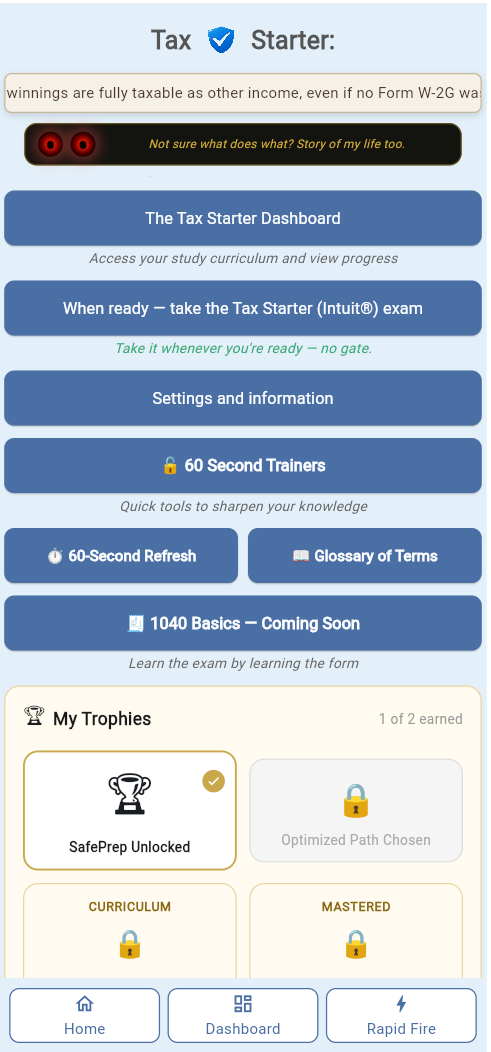
If you’re working through Tax Level 1 right now, check out Tax Starter at foodsafetymadeeasy.com/intuit_tax_study/ — happy to hear if it lines up with what you’re seeing in the actual course.